Service book · iPhone & iPad

Your car's service book, always up to date.

See what's due before you're overdue. Log oil changes and repairs, keep receipts and insurance papers with the car, and export a clean history when you sell.
★★★★★ 5.0 — Loved by early users
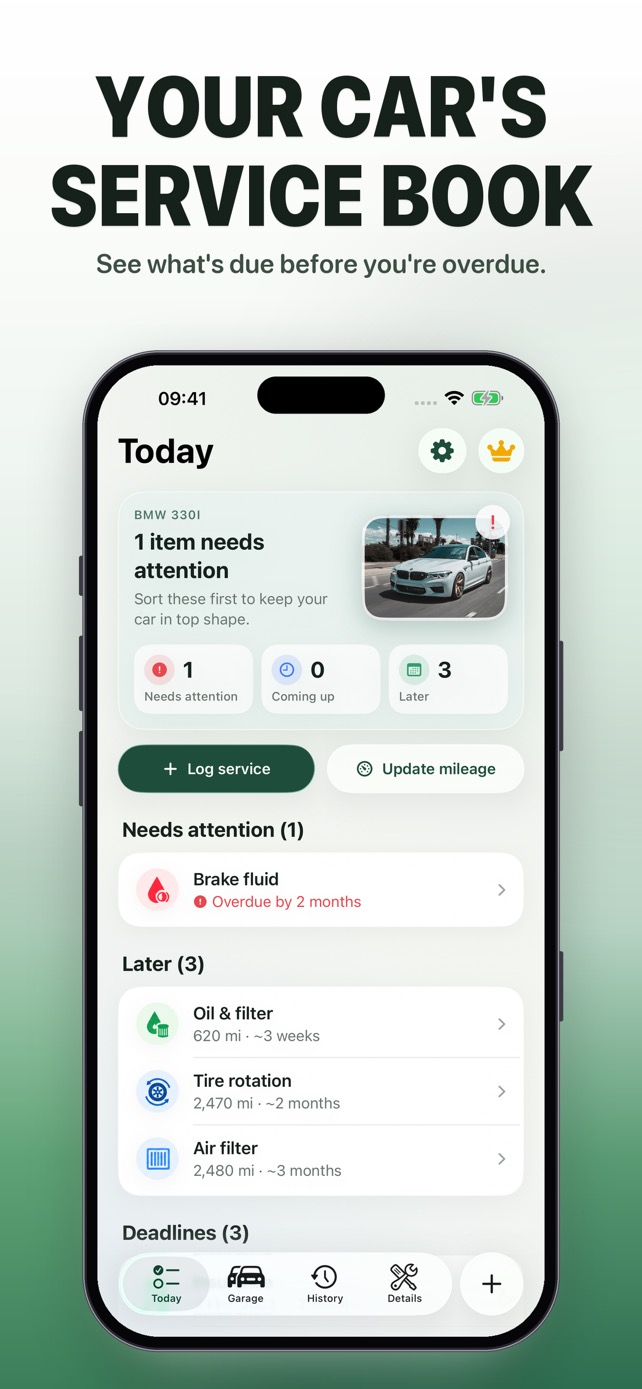
Car Maintenance Log Today screen showing an overdue brake fluid change and upcoming oil service
1 carfree, fully featured
0accounts or sign-up
iCloudsync across devices
PDFhistory when you sell

Know what's due — and what's next.

Mileage or months, whichever comes first. Overdue, coming up and later — in plain language on one screen, like "620 mi · ~3 weeks".

  • Built-in intervals for oil, tires, brakes and more — change any of them
  • Reminders before service is due, never after
  • Insurance and registration deadlines on the same screen
Today screen showing what needs attention and what's coming up

Log a visit in seconds.

Oil, tires, brakes, inspections — one entry with the date, mileage, cost, shop and a photo of the receipt. The schedule updates itself.
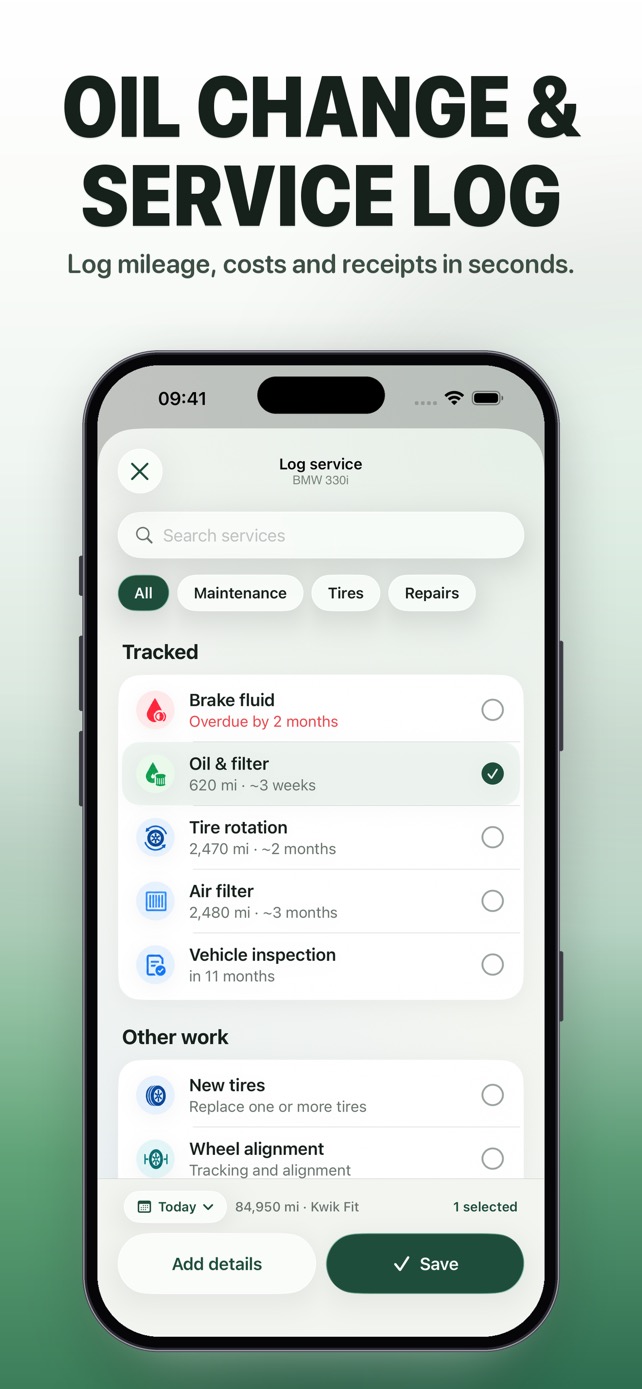
  • Pick several jobs from one visit at once
  • Backdate a visit you forgot to log
  • Scan or photograph receipts
Logging an oil change with mileage and receipt

Every visit in one timeline.

The full story of your car, newest first. Edit or delete a visit and what's due recalculates automatically.
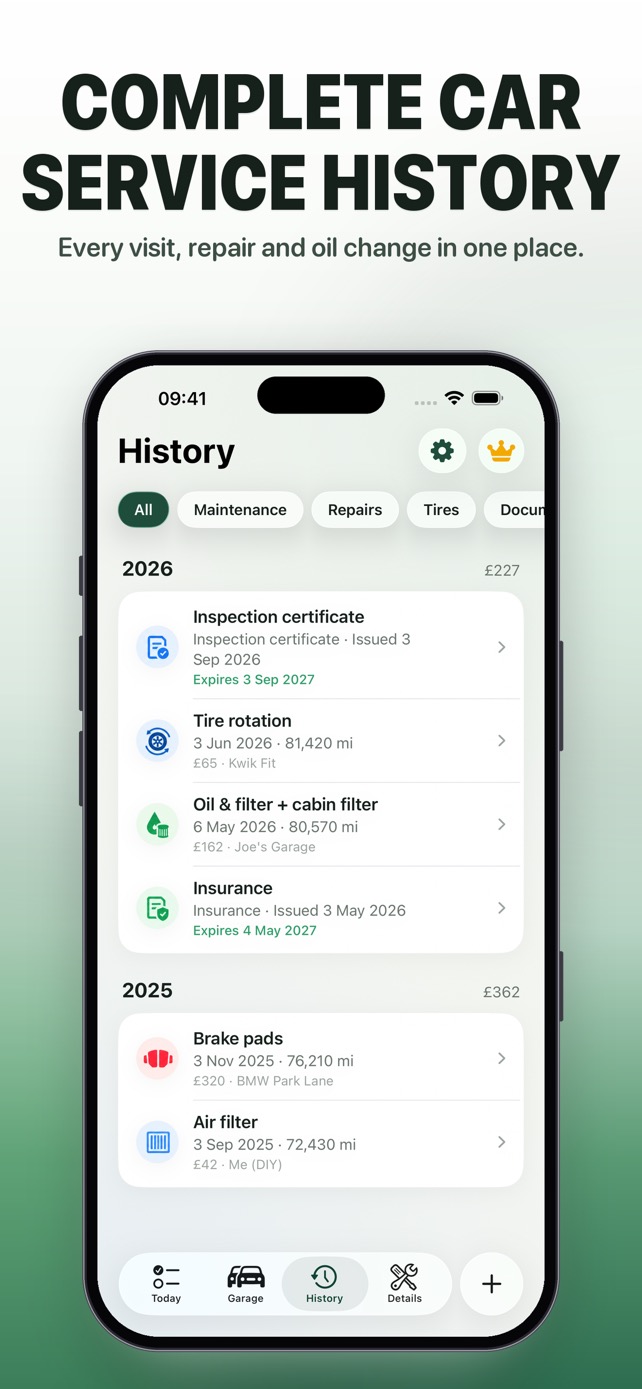
  • Costs per visit and per year
  • Receipts kept with each visit
  • Export service history as PDF or CSV
Complete car service history timeline

The glovebox, without the mess.

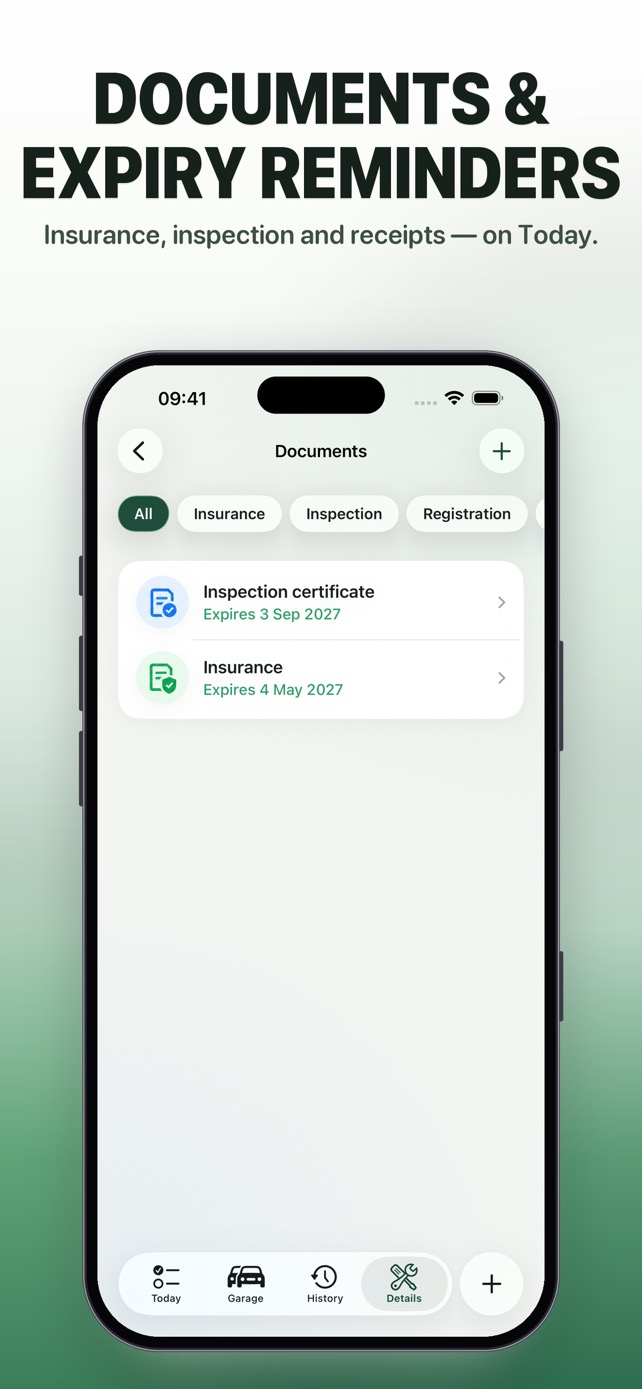
Insurance, registration and inspection papers live with the car, with expiry dates you'll see coming.
  • Scan multi-page documents with the camera
  • Expiry reminders on Today
  • Car photo and VIN in one place
Vehicle documents with expiry dates

Every car you own.

Unlimited vehicles, one Today view for the whole garage, and a resale pack that shows buyers the car was looked after.
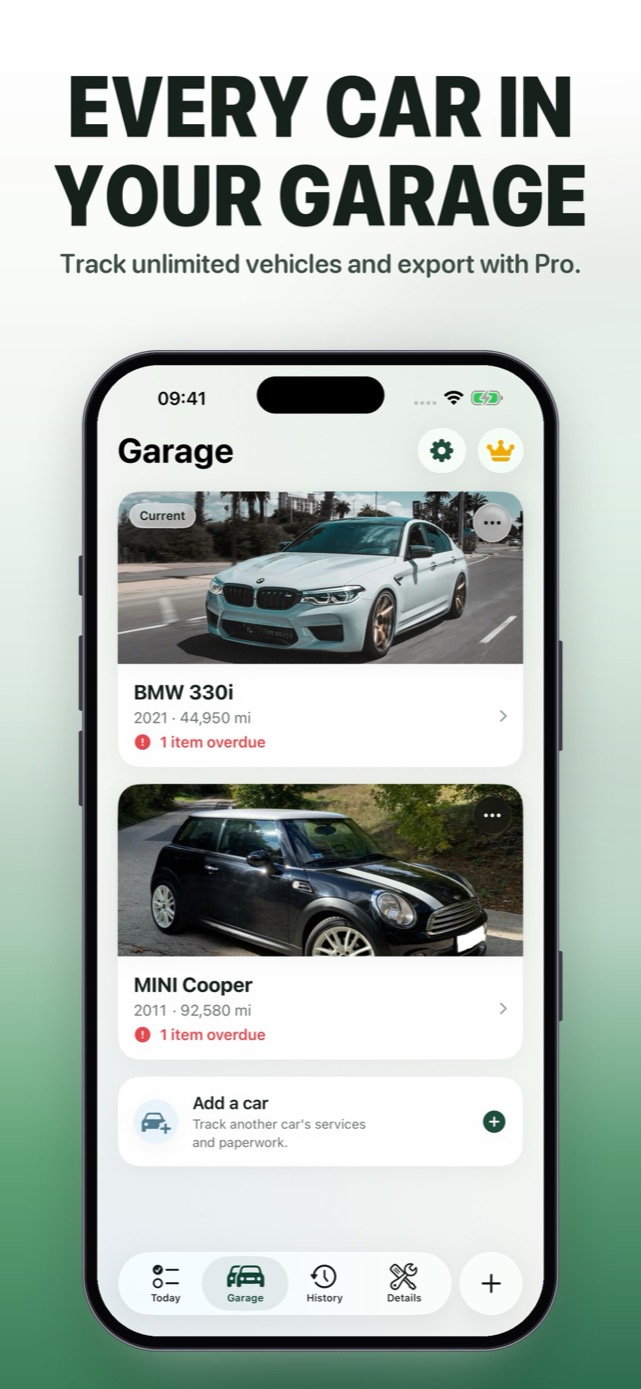
  • Merged Today across all your cars
  • Full receipt and document archive
  • Resale pack PDF and whole-garage spreadsheet
Multiple cars in your garage

Your records stay yours.

A service book, not a marketplace. No ads, no shop upsells, no data sold.

No account

Everything lives on your iPhone and in your own iCloud. There's nothing to sign up for.

Synced with iCloud

The same garage on your iPhone and iPad, and it survives a new phone.

Export anytime

Take your history with you as a PDF or CSV — free, with no lock-in.

Pricing

Start free. Upgrade when your garage grows.

One car is free, forever, with everything you need to stay on top of service.

Free
$0 / forever
One car, no compromise on the basics.
  • Today, logging & full history
  • Service reminders
  • PDF & CSV export
  • iCloud sync
Download Free
Monthly
$3.99 / month
CarLog Pro, billed monthly.
  • Unlimited cars
  • One Today view for the garage
  • Document & receipt archive
  • Resale pack & garage spreadsheet
Get Monthly
Lifetime
$19.99 once
Pay once. No subscription.
  • All Pro features
  • Keep them forever
Get Lifetime

Prices in USD; your local App Store price may differ. Payment is charged to your Apple Account at confirmation. Subscriptions renew automatically unless cancelled at least 24 hours before the end of the period. Manage subscriptions in your App Store settings.

FAQ

Common questions.

Yes. One car includes Today, logging, full history, reminders and PDF/CSV export. CarLog Pro adds unlimited cars, one Today view for the whole garage, the full receipt and document archive, and the resale pack.
No. Your service book stays on your device and in your own iCloud, so it syncs to your iPad and survives a new phone. There is no CarLog login.
Each service item has an interval in miles (or kilometres) and/or months — whichever comes first. The app counts from your last logged visit and estimates the date from how much you drive. Update your mileage now and then and it gets more accurate.
Yes. Tires, brakes, filters, battery, coolant, spark plugs, inspections and your own custom items — each with its own interval.
Yes. Choose miles or kilometres per car, and pick your currency in Settings.
Open Settings in the app and choose Erase all data. That removes vehicles and history from your devices and iCloud. See Support for more help.

Know what's due. Keep everything.

Set up your car in under a minute — free.

Download on the App Store